
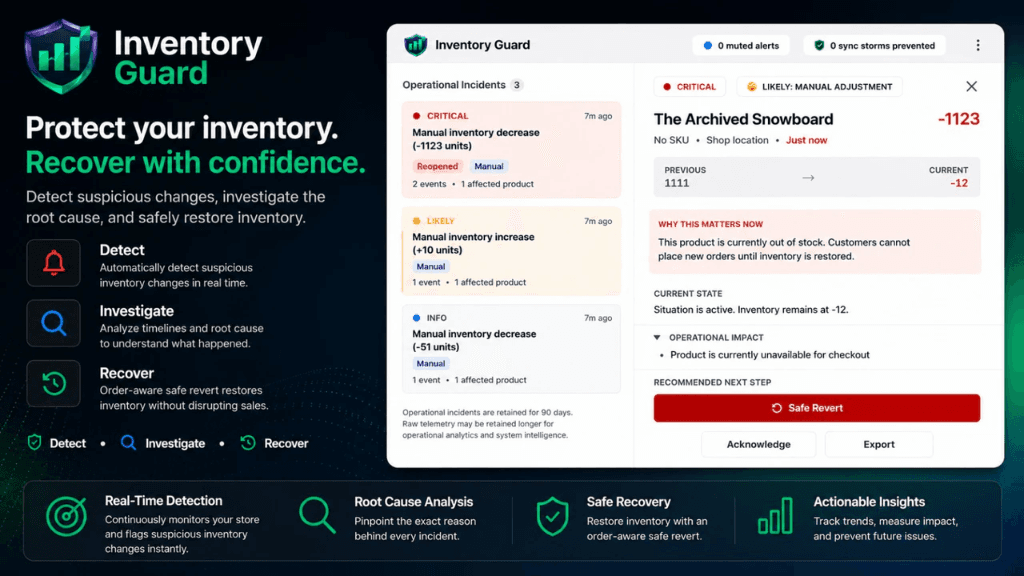
Detect suspicious inventory changes.
Investigate incidents.
Recover safely.
Inventory Guard helps Shopify merchants understand unexpected inventory changes and respond with confidence.
The Problem
Inventory suddenly changed.
No orders. No obvious reason.
You have to ask yourself, was it:
- Staff action?
- Sync app?
- CSV import?
- Multi-location issue?
Workflow
How Inventory Guard Works
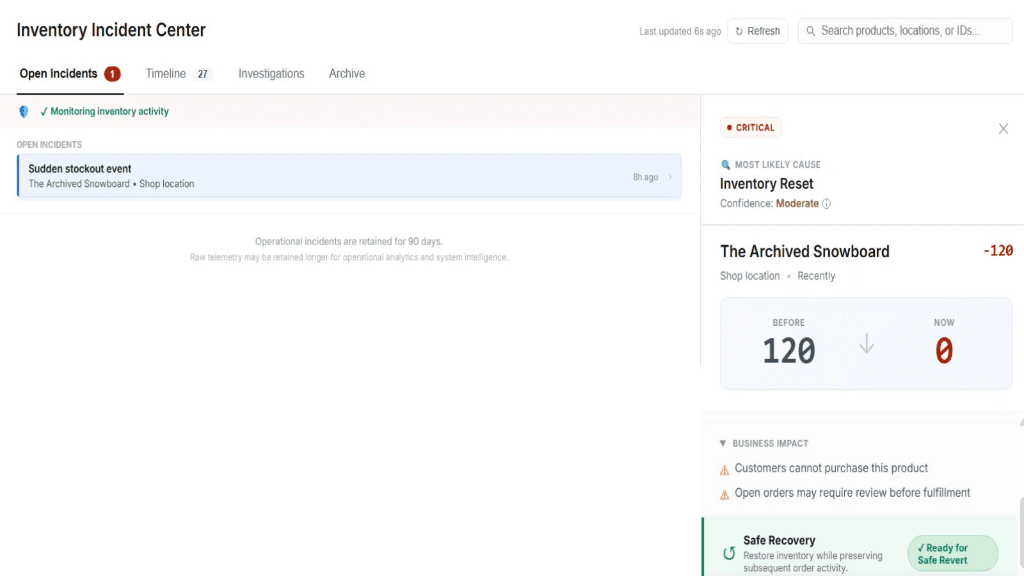
Detect
Identify suspicious inventory changes automatically based on threshold alerts.
Investigate
Understand the timeline, pinpoint the root cause, and review complete inventory history.
Recover
Restore inventory safely while accounting for downstream changes and subsequent orders.
Features
Everything you need to protect inventory
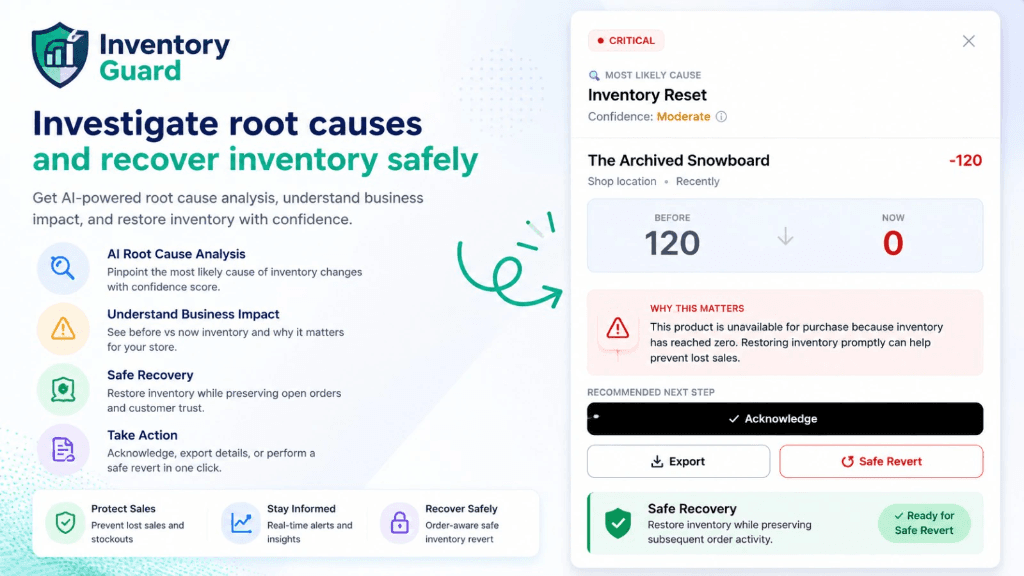
Investigate root causes safely
Get AI-powered root cause analysis, understand business impact, and restore inventory with confidence. Pinpoint the most likely cause of inventory changes with a confidence score.
- Understand Business Impact
- Safe Recovery Preserving Open Orders
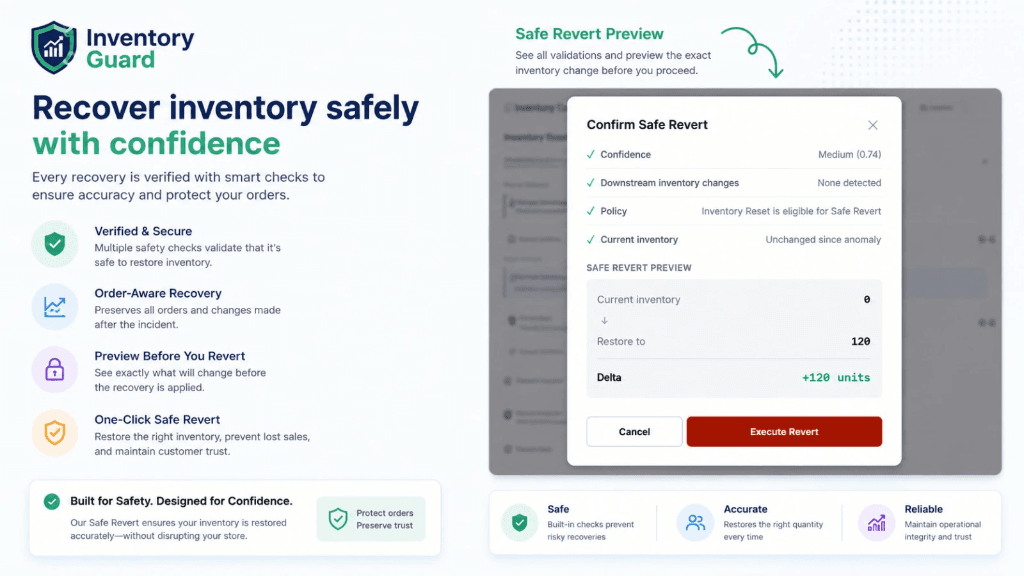
Recover inventory safely with confidence
Every recovery is verified with smart checks to ensure accuracy and protect your orders. See exactly what will change before the recovery is applied.
- Order-Aware Recovery
- Preview Before You Revert
- One-Click Safe Revert
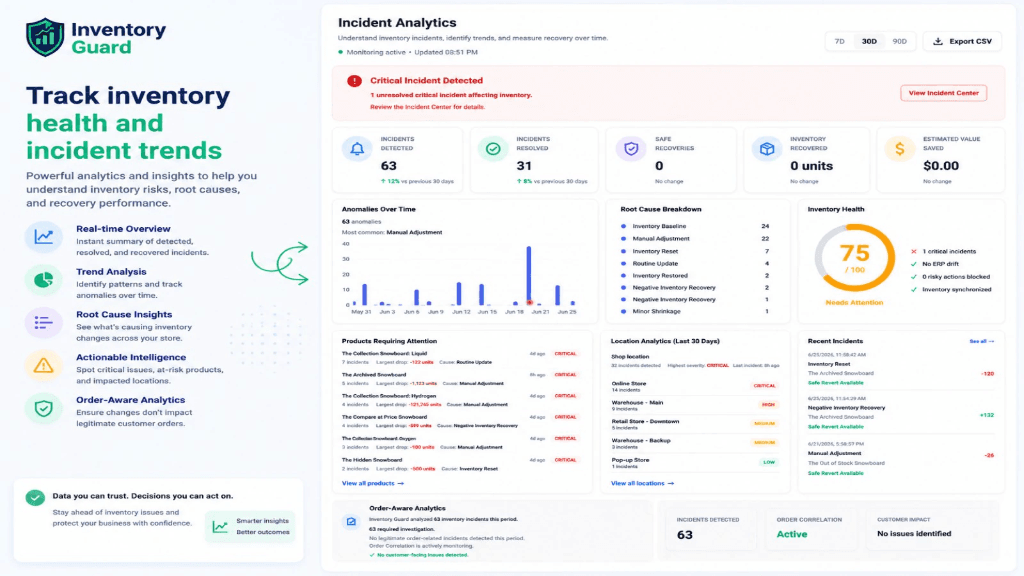
Track inventory health and incident trends
Powerful analytics and insights to help you understand inventory risks, root causes, and recovery performance. Spot critical issues and at-risk products.
- Real-time Overview
- Trend Analysis & Root Cause Insights
- Order-Aware Analytics
Illustrative Examples
Real-World Incident Scenarios
See how Inventory Guard helps merchants investigate operational failures and recover safely.
Inventory Suddenly Became Zero
No orders. No obvious explanation.
Questions the merchant asks:
- What changed?
- Who changed it?
- Was it a sync app?
- Is it safe to restore?
How Inventory Guard Helps:
- Detect suspicious inventory changes
- Surface incident details
- Show event timeline
- Calculate safe recovery
Inventory Sync App Overwrote Stock
Sync apps frequently cause discrepancies due to:
- Sync conflicts
- Multi-source inventory
- API delays
- Race conditions
Inventory Guard helps merchants understand which system changed inventory, when it happened, and whether downstream changes exist.
CSV Import Caused Errors
Manual imports often lead to disaster due to:
- Incorrect quantities
- Bulk import overwrites
- Human mistakes
Inventory Guard provides the operational logs needed to investigate, audit changes, and recover safely.
Positioning
What Makes Inventory Guard Different
Most inventory apps answer: "How much stock do I have?"
Inventory Guard answers: "Why did my inventory change, what caused it, and can I recover safely?"
Traditional Inventory Tools
- Inventory counts
- Forecasting
- Syncing
- Warehousing
Inventory Guard
- Incident detection
- Investigation
- Root cause analysis
- Safe recovery
Frequently Asked Questions
Why did my Shopify inventory suddenly change?
Possible causes include inventory sync apps mapping incorrectly, flawed CSV imports overriding data, accidental staff actions, third-party integrations running into race conditions, and multi-location adjustments overwriting primary stock.
Can I restore inventory changes safely?
Inventory Guard helps merchants investigate incidents and restore inventory while considering downstream changes and orders that occurred during the discrepancy window.
Does Shopify provide an inventory audit log?
Shopify provides a basic inventory history log, but merchants often need additional context to understand why inventory changed, which specific system caused it, and how to recover safely.
Built by OsmouTech
Software Products • Shopify Apps • AI Solutions
Inventory Guard is built by OsmouTech, a software company focused on solving operational problems for businesses.
Available Now
Install Inventory Guard today and respond to inventory incidents with confidence.
Get Inventory Guard