
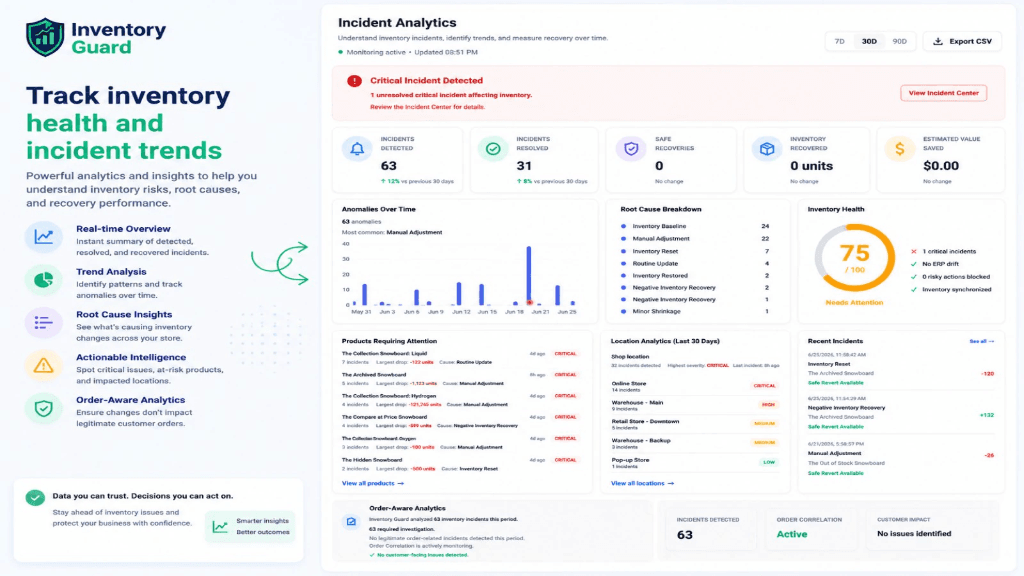
When a massive inventory discrepancy occurs, the first question a merchant asks is: 'Is there a log of who did this?'
Merchants need to know exactly who changed the inventory, which app caused it, and whether it's safe to restore.
Shopify's Audit Capabilities
- 1Shopify provides basic adjustment history (What changed).
- 2It struggles to provide deep context (Why it changed).
- 3It cannot easily tell you if downstream orders were affected.
- 4It lacks a native 'safe restore' button for complex incidents.
Root Causes
What Shopify provides
Shopify offers a basic 'Adjustment History' on the variant page. It shows the date, the adjustment amount, and briefly notes if a staff member or an app made the change.
Limitations of the native history
While Shopify tells you that stock dropped from 120 to 0, it doesn't give you the operational context. It won't flag suspicious behavior, it won't correlate the change with a failed CSV import, and it won't help you safely revert the change if orders occurred in the meantime.
Step-by-Step Fix Guide
Check the Adjustment History
Go to the product variant in Shopify and click 'Adjustment history' to view basic logs.
Identify the Actor
Look at the 'Adjusted by' column. If it says an app name, you must now leave Shopify and dig through that specific app's logs.
Determine if Safe to Restore
This is where native tools fail. You must manually cross-reference the exact timestamp of the error with any orders placed during the downtime to ensure restoring won't oversell.
Need deeper inventory visibility?
Inventory Guard provides comprehensive inventory incident visibility and safe recovery workflows.
Explore Inventory GuardRelated Errors
Prevention Strategy
- Do not rely solely on basic history for critical investigations.
- Utilize dedicated incident response tools that provide complete audit trails and safe recovery workflows.
Still Stuck With This Issue?
Send your exact error message or deployment issue. I'll respond with a targeted fix.
Need a Deeper Fix?
Describe your full project issue below and I'll get back to you with a targeted fix.